
Skip to content

Cart

Your cart is empty

HomeCourse Retractable Golf ProScreen 180

Sale price$1,999.00

HomeCourse Retractable Golf ProScreen 180 by HomeCourse for Impact Screens
HomeCourse Retractable Golf ProScreen 180 Sale price$1,999.00

Free shipping

On all orders over $500

Lowest Price Promise

Found a competitor with a different price? Consider it matched.

Simulator Experts

Talk to a pro. We'll help you through every step of choosing your simulator.

Description

Description:

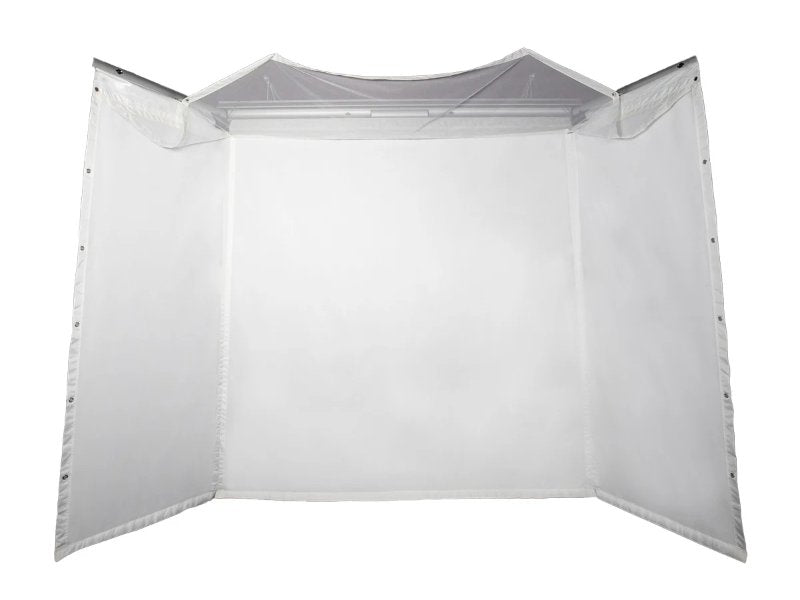
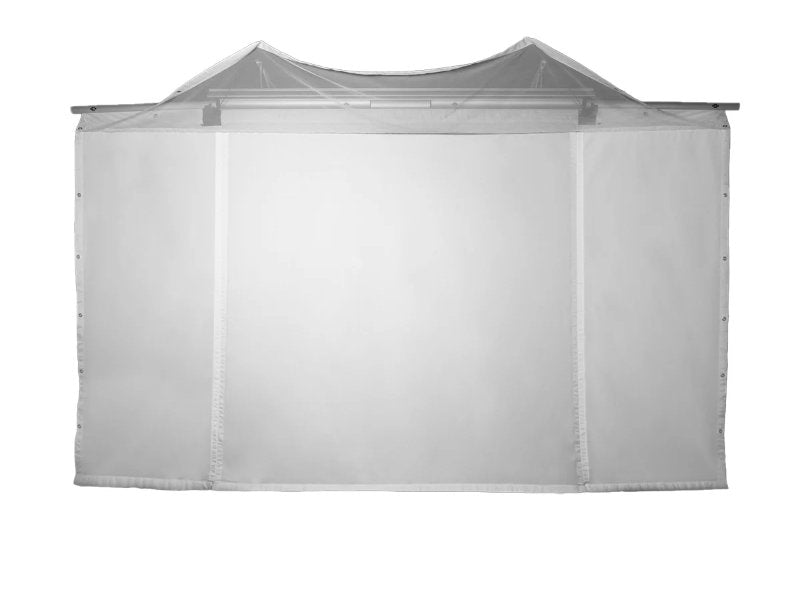
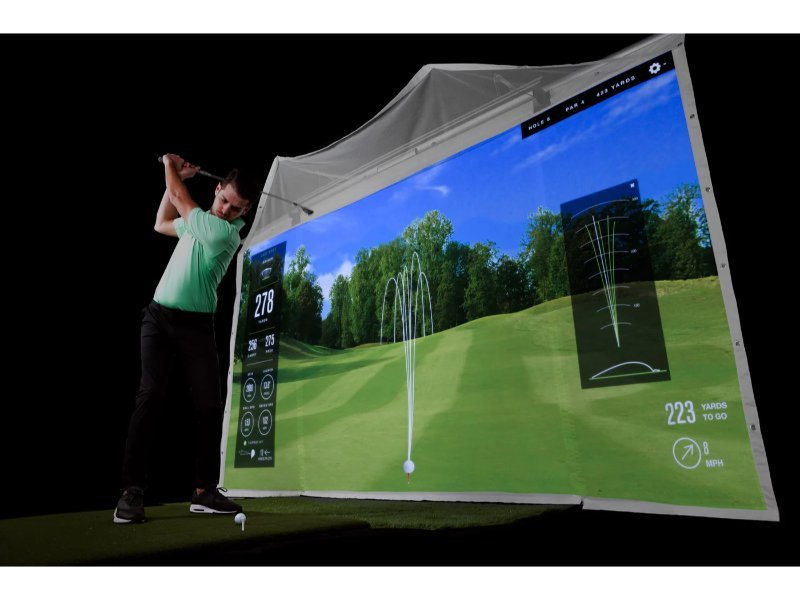
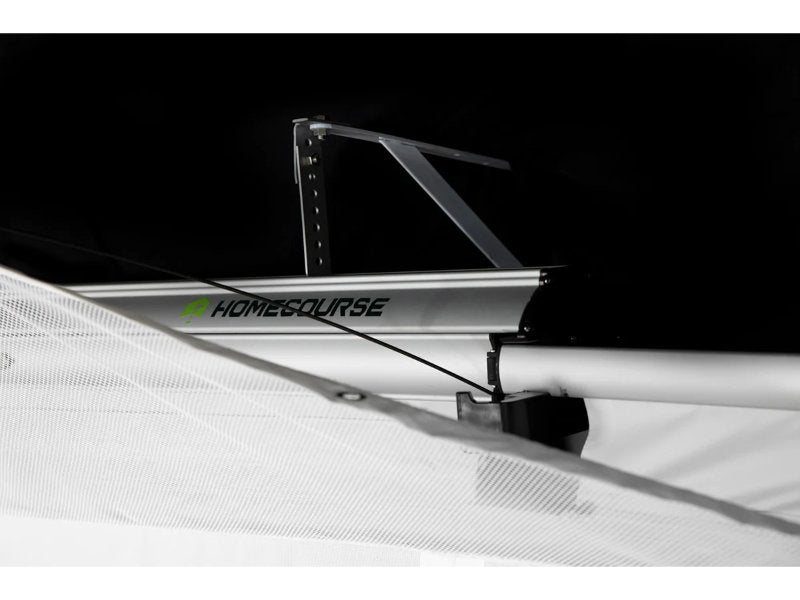
The HomeCourse ProScreen 180 is a groundbreaking, patented, and fully retractable indoor golf simulator screen that can instantly transform your living room, garage, or basement into a dynamic indoor driving range or golf simulator studio.


As the most portable option available on the market today, this retractable screen allows you to easily revert any space back to its original state thanks to its wireless, battery-powered functionality.


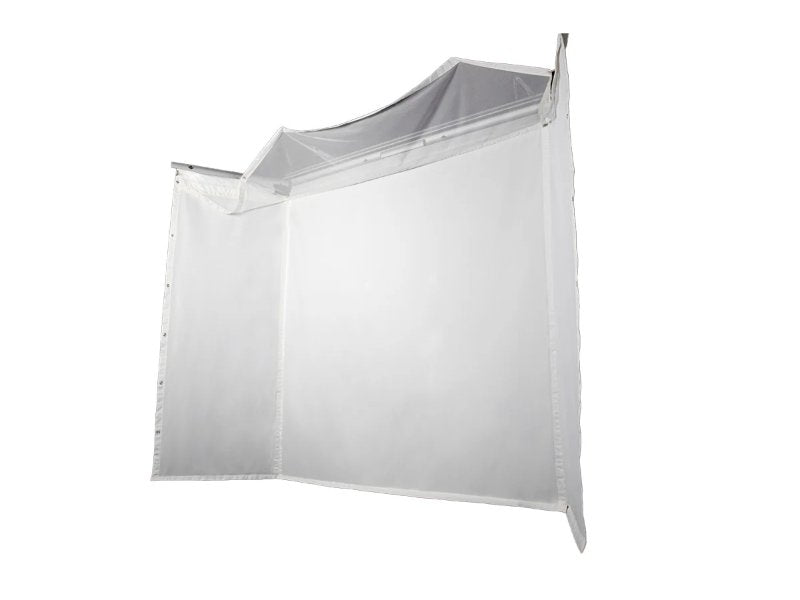
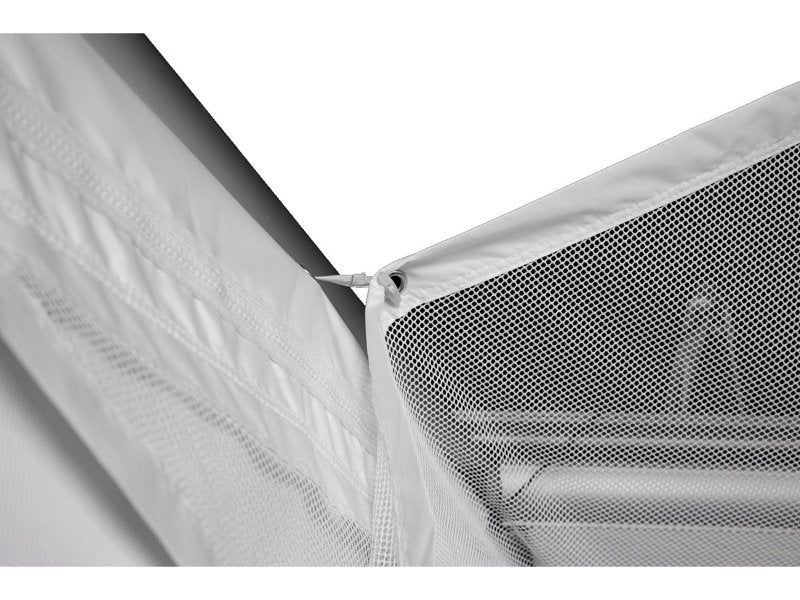
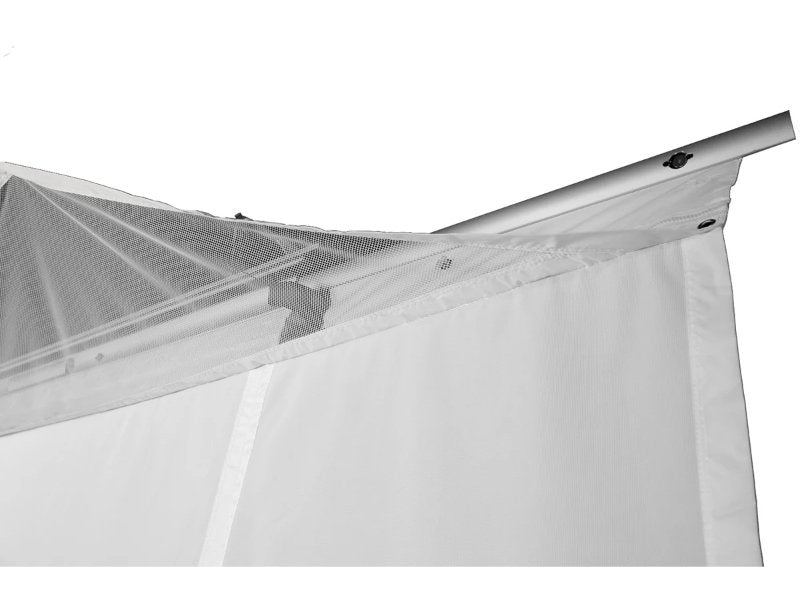
Constructed from ballistic-grade materials, this screen is designed to withstand powerful drives from even the hardest hitters using real golf balls, making it a reliable choice for frequent use. It features professional-grade arm and sky netting enclosures that offer additional protection from mishits.


This innovative solution enables golfers of all skill levels to learn, practice, train, or perfect their game at their convenience.


Projection and Simulation Ready

The HomeCourse Pro is equipped with a high-quality projection and impact screen, ready for golf simulation. Simply integrate your preferred launch monitor, and complete the hitting area to enjoy golfing right from your home!


Fully Retractable, Flexible Space Enclosure

The HomeCourse is an impressive for practice, but it’s just as easy to reclaim your room. With a simple click of the included wireless remote, you can transition any space to and from a virtual golf practice environment in under thirty seconds.


And, there are no messy cables to deal with. The motor is powered by a lithium-ion battery that lasts for months on a single charge. Just use the included remote to operate the system.


If you're ready to reimagine your space for golfing, the HomeCourse Retractable Golf ProScreen 180 is the perfect solution to transform your space

What's Included

What's Included:

  • Retractable Screen/Enclosure
  • Ceiling Mount Kit
  • Charging Cable
  • Remote Control
  • Easy Reach Pole
Specifications

Product Specifications:

Weight: 88lbs

Assembled Size: 8.5'H x 10.5'W

Bracketing: 20" off wall

Warranty: 1 year limited

Additions

The following products may be purchased with your HomeCourse Retractable Golf Pro Screen 180:


HomeCourse Wall Mount Kit

To mount your HomeCourse ProScreen 180 onto a wall, this kit is required. It is designed to work in conjunction with the Ceiling Mount Kit included with the HomeCourse ProScreen 180.

Recommended for ceilings of 9 feet or higher.

HomeCourse Side Netting

These two triangular side netting panels provide extended protection for your hitting studio and are specifically tailored to fit the HomeCourse ProScreen 180.

  • Length: 85"
  • Height at attachment point: 88"
  • Height at smaller end (furthest from screen): 15" 

The side netting includes two empty sandbags for added stability.

HomeCourse Landing Pad

The Landing Pad features an artificial grass surface designed to cushion the landing of balls dropping from the HomeCourse ProScreen 180. Please note that it is not intended to be used as a hitting surface (golf hitting mat not included).

Size: 9' x 5' 

FAQ

Frequently Asked Set Up Questions:


What is HomeCourse?
HomeCourse is a retractable golf screen and enclosure. HomeCourse's ballistic grade screen can handle the impact of a live golf ball, and provides netting over head and to the sides to contain errant shots, so you feel confident about the safety of your surroundings. The screen is projectable, so it can be used with or without a simulator and projector.


How much space do I need to install HomeCourse?
You need a minimum width of 10ft. 6in. to fit HomeCourse with its Pro-Arms extended in the standard angled position. It is recommended to mount the screen 18 inches from a wall to provide space for impact absorption. Beyond that, you just need room to swing a club freely–front, back and above. Typically, an area with 10ft. 6in. to 14’ 2” (W) x 12 ft (D) x 8ft. (H). is sufficient, but everybody is different, and so are their swings, so you must test your space before installing HomeCourse. The unit must be installed no more than 8 feet from the ground, so the bottom of the screen touches the ground. It can be mounted lower, as well, which provides some extra slack at the bottom and is okay.


What is a good place to set up my HomeCourse?
Anywhere you have the space for it. Recommended examples include: Game rooms or media rooms where you want to create a golf simulator environment without dedicating a room permanently; Garages allow for a great simulator environment, and after the HomeCourse rolls up, a car fits perfectly under it; Offices make a great practice environment so you can work on your game without having to leave and break up your work day.


Can I install HomeCourse myself?
If you have experience drilling walls, locating studs and mounting hardware, HomeCourse can be installed yourself. It is recommended to have somebody help with two ladders, as it makes it easier to hoist the unit without special equipment.


What does HomeCourse include?
HomeCourse includes the ProScreen 180, remote control, charger, easy reach arm for Pro-Arms, and a Ceiling Mount Kit.


What else might I need to maximize my HomeCourse experience?
If you need to mount to a wall, you will need to purchase the HomeCourse Wall Mount Kit. After the ball makes impact with the screen, you will want it to land on a soft surface, so we recommend using artificial grass or another soft material. Additionally, third-party hitting mats, simulators and launch monitors, projectors, computers, and software can maximize your custom HomeCourse experience.


Does HomeCourse include a hitting mat?
No, there are many third-party hitting mats available depending on your needs, and some launch monitors which include a hitting surface

What mounting options are available for HomeCourse?
HomeCourse includes a Ceiling Mount Kit and there is an optional Wall Mount Kit available.


Can I install HomeCourse outdoors?
HomeCourse is designed to be installed indoors, and should never be put in contact with water.


Is HomeCourse a simulator?
No, HomeCourse is a projectable screen and enclosure that can work with a launch monitor and simulator software. It makes the possibility of having a golf simulator in your home easy and affordable.


What simulators work with HomeCourse?
Any projected image works on HomeCourse, so any simulator that can be connected to a projector will work well.


What kind of Projector should I use with HomeCourse?
Various options are available depending on your space. Short-Throw projectors work easily as they only need a few feet to produce a large image. If you have a larger room, or don’t mind a smaller picture, standard or hd projectors work.


Can I hit a real golf ball into HomeCourse?
Yes.


Can I take full swings at HomeCourse?
Yes, just make sure you have space to clear your club.


Are there any shots I should avoid when using HomeCourse?
Get a feeling for your surroundings. Try to hit well within the boundaries of the screen, and avoid unusually high shot, like flop shots, or low shots when using HomeCourse.


Are there any safety precautions I should consider before using HomeCourse?
Though HomeCourse is designed to maximize safety, you are still playing golf indoors. Be aware of your surroundings at all times, and understand that unforeseen accidents can occur. 

Videos

Videos:


Description

Description:

The HomeCourse ProScreen 180 is a groundbreaking, patented, and fully retractable indoor golf simulator screen that can instantly transform your living room, garage, or basement into a dynamic indoor driving range or golf simulator studio.


As the most portable option available on the market today, this retractable screen allows you to easily revert any space back to its original state thanks to its wireless, battery-powered functionality.


Constructed from ballistic-grade materials, this screen is designed to withstand powerful drives from even the hardest hitters using real golf balls, making it a reliable choice for frequent use. It features professional-grade arm and sky netting enclosures that offer additional protection from mishits.


This innovative solution enables golfers of all skill levels to learn, practice, train, or perfect their game at their convenience.


Projection and Simulation Ready

The HomeCourse Pro is equipped with a high-quality projection and impact screen, ready for golf simulation. Simply integrate your preferred launch monitor, and complete the hitting area to enjoy golfing right from your home!


Fully Retractable, Flexible Space Enclosure

The HomeCourse is an impressive for practice, but it’s just as easy to reclaim your room. With a simple click of the included wireless remote, you can transition any space to and from a virtual golf practice environment in under thirty seconds.


And, there are no messy cables to deal with. The motor is powered by a lithium-ion battery that lasts for months on a single charge. Just use the included remote to operate the system.


If you're ready to reimagine your space for golfing, the HomeCourse Retractable Golf ProScreen 180 is the perfect solution to transform your space

What's Included

What's Included:

  • Retractable Screen/Enclosure
  • Ceiling Mount Kit
  • Charging Cable
  • Remote Control
  • Easy Reach Pole
Specifications

Product Specifications:

Weight: 88lbs

Assembled Size: 8.5'H x 10.5'W

Bracketing: 20" off wall

Warranty: 1 year limited

Additions

The following products may be purchased with your HomeCourse Retractable Golf Pro Screen 180:


HomeCourse Wall Mount Kit

To mount your HomeCourse ProScreen 180 onto a wall, this kit is required. It is designed to work in conjunction with the Ceiling Mount Kit included with the HomeCourse ProScreen 180.

Recommended for ceilings of 9 feet or higher.

HomeCourse Side Netting

These two triangular side netting panels provide extended protection for your hitting studio and are specifically tailored to fit the HomeCourse ProScreen 180.

  • Length: 85"
  • Height at attachment point: 88"
  • Height at smaller end (furthest from screen): 15" 

The side netting includes two empty sandbags for added stability.

HomeCourse Landing Pad

The Landing Pad features an artificial grass surface designed to cushion the landing of balls dropping from the HomeCourse ProScreen 180. Please note that it is not intended to be used as a hitting surface (golf hitting mat not included).

Size: 9' x 5' 

FAQ

Frequently Asked Set Up Questions:


What is HomeCourse?
HomeCourse is a retractable golf screen and enclosure. HomeCourse's ballistic grade screen can handle the impact of a live golf ball, and provides netting over head and to the sides to contain errant shots, so you feel confident about the safety of your surroundings. The screen is projectable, so it can be used with or without a simulator and projector.


How much space do I need to install HomeCourse?
You need a minimum width of 10ft. 6in. to fit HomeCourse with its Pro-Arms extended in the standard angled position. It is recommended to mount the screen 18 inches from a wall to provide space for impact absorption. Beyond that, you just need room to swing a club freely–front, back and above. Typically, an area with 10ft. 6in. to 14’ 2” (W) x 12 ft (D) x 8ft. (H). is sufficient, but everybody is different, and so are their swings, so you must test your space before installing HomeCourse. The unit must be installed no more than 8 feet from the ground, so the bottom of the screen touches the ground. It can be mounted lower, as well, which provides some extra slack at the bottom and is okay.


What is a good place to set up my HomeCourse?
Anywhere you have the space for it. Recommended examples include: Game rooms or media rooms where you want to create a golf simulator environment without dedicating a room permanently; Garages allow for a great simulator environment, and after the HomeCourse rolls up, a car fits perfectly under it; Offices make a great practice environment so you can work on your game without having to leave and break up your work day.


Can I install HomeCourse myself?
If you have experience drilling walls, locating studs and mounting hardware, HomeCourse can be installed yourself. It is recommended to have somebody help with two ladders, as it makes it easier to hoist the unit without special equipment.


What does HomeCourse include?
HomeCourse includes the ProScreen 180, remote control, charger, easy reach arm for Pro-Arms, and a Ceiling Mount Kit.


What else might I need to maximize my HomeCourse experience?
If you need to mount to a wall, you will need to purchase the HomeCourse Wall Mount Kit. After the ball makes impact with the screen, you will want it to land on a soft surface, so we recommend using artificial grass or another soft material. Additionally, third-party hitting mats, simulators and launch monitors, projectors, computers, and software can maximize your custom HomeCourse experience.


Does HomeCourse include a hitting mat?
No, there are many third-party hitting mats available depending on your needs, and some launch monitors which include a hitting surface

What mounting options are available for HomeCourse?
HomeCourse includes a Ceiling Mount Kit and there is an optional Wall Mount Kit available.


Can I install HomeCourse outdoors?
HomeCourse is designed to be installed indoors, and should never be put in contact with water.


Is HomeCourse a simulator?
No, HomeCourse is a projectable screen and enclosure that can work with a launch monitor and simulator software. It makes the possibility of having a golf simulator in your home easy and affordable.


What simulators work with HomeCourse?
Any projected image works on HomeCourse, so any simulator that can be connected to a projector will work well.


What kind of Projector should I use with HomeCourse?
Various options are available depending on your space. Short-Throw projectors work easily as they only need a few feet to produce a large image. If you have a larger room, or don’t mind a smaller picture, standard or hd projectors work.


Can I hit a real golf ball into HomeCourse?
Yes.


Can I take full swings at HomeCourse?
Yes, just make sure you have space to clear your club.


Are there any shots I should avoid when using HomeCourse?
Get a feeling for your surroundings. Try to hit well within the boundaries of the screen, and avoid unusually high shot, like flop shots, or low shots when using HomeCourse.


Are there any safety precautions I should consider before using HomeCourse?
Though HomeCourse is designed to maximize safety, you are still playing golf indoors. Be aware of your surroundings at all times, and understand that unforeseen accidents can occur. 

Videos

Videos: